If you or someone on your team is typing the same customer name, phone number, or job details into more than one system every day, the fix is workflow automation: connecting the apps you already use so information entered once flows automatically to everywhere it needs to go. You stop retyping. The systems talk to each other instead.
Before the fix, the process usually looks like this. A customer books a job through your website or calls in. Someone writes that down or enters it into a scheduling app. Later, someone else copies those same details into an invoicing tool. Later still, the customer's contact information gets typed a third time into a mailing list or CRM so they can receive a follow-up. Three separate people, or one person three separate times, entering the exact same information into three separate places.
Why this keeps happening
Most small businesses don't set out to build a workflow like this. It happens gradually. You start with a scheduling app because you need one. You add an invoicing tool because your accountant recommended it. You start a mailing list because someone told you email marketing works. Each tool solves a real problem on its own. Nobody designed them to work together, so nobody built the bridge between them, and the bridge became a person instead.
A survey commissioned by Parseur across U.S. businesses revealed an average of more than 9 hours per week, per employee, is spent manually transferring data between documents.
The sample covers a lot of ground, but even on the low end, if someone on your team is spending an hour or two a day moving the same information between systems, that's an hour or two a day they're not spending on the job that generates revenue.
A concrete example
Picture a landscaping company that takes bookings through a contact form on its website. A customer requests a quote. The office manager reads the request, calls or texts the customer to confirm details, then manually enters the job into the scheduling calendar. Once the job is done, someone pulls those same details back up to generate an invoice. If the customer wants to be added to a seasonal maintenance reminder list, their contact information gets typed a third time into an email tool.
Nothing about that process is broken, exactly. It works. But every step where a human retypes information is a step where a typo can enter the system, where a job can get missed if someone's out sick, and where the whole process slows down because it depends on someone remembering to do the next manual step.
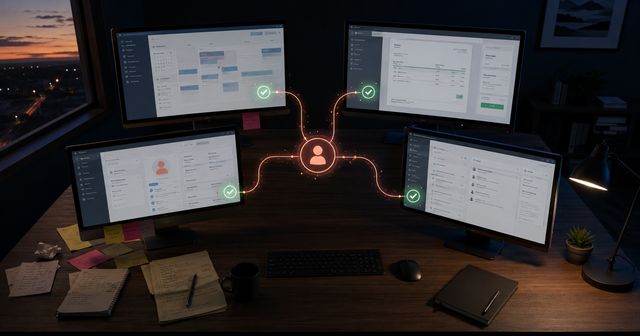
Workflow automation replaces the retyping with a rule: when a new booking comes in through the website form, automatically create the calendar entry, automatically create a draft invoice with the customer's details already filled in, and automatically add the contact to the mailing list, tagged as a new customer. The office manager still reviews and confirms, but she's not the one moving data by hand between four different screens.
What "connecting the apps" actually means
Workflow automation runs through connections between software tools. Most business software today has a way to send and receive information automatically through what developers call an API, a defined channel that lets one piece of software hand data to another without a person in the middle. Automation tools sit between your apps and use those channels to move information the moment something happens: a form gets submitted, an invoice gets paid, a job gets marked complete.
You don't need to understand APIs to benefit from this. In practice, you pick a trigger (a new booking, a completed job, a signed contract) and what should happen automatically as a result (a calendar entry, an invoice draft, an email, a text confirmation). The automation runs in the background every time that trigger happens, without waiting for someone to remember the manual step.
Why this matters more as volume grows
The same survey mentioned earlier found that manual data entry costs U.S. businesses an average of $28,500 per employee per year, and within more specific roles, Salesforce claim a staggering 71% of worktime spent by salespeople is spent on non-selling, administrative tasks.
The pattern matches what most business owners already sense: manual re-entry costs real hours, and those hours scale up as the business grows, not down. A business with ten customers a month can absorb the retyping. A business with two hundred customers a month usually can't, except by hiring someone whose entire job is moving data between screens.
What to automate first
You don't need to automate everything at once, and you don't need to rebuild your entire toolkit. Start by identifying the one workflow where information gets typed more than once. Usually it's the path from "new customer request" to "job scheduled" to "invoice sent," because that's the sequence every business runs constantly and the one most likely to involve the same details typed into three separate tools.
Map out exactly what happens today, step by step, including who does each step and which app it lands in. Once that's written down, the pure data-transfer steps stand out: typing the same phone number into a second app is different from deciding whether to approve a discount. The transfer steps are the ones worth automating first. The judgment calls stay with a person.
Where this fits with the rest of your systems
Workflow automation isn't a replacement for the tools you already use. It connects them so they work as one system instead of four separate ones. Custom automation has to follow how your business operates, not a generic template; otherwise, it may save an hour a week until your process changes and it quietly breaks.
If your team is still retyping the same customer information across multiple apps every day, that's a workflow problem with a specific fix. Mindstate Strategy builds custom workflow automation around your actual process, not a one-size-fits-all template. Get in touch to talk through what your current process looks like and where the retyping could stop.
Key Takeaways
- Manual data re-entry costs the average U.S. employee more than 9 hours a week, according to a survey commissioned by Parseur.
- That translates to roughly $28,500 per employee per year in lost productivity.
- Workflow automation eliminates the retyping by connecting existing apps, not by replacing them.
- The highest-value automation target is usually the path from new booking to job scheduled to invoice sent, since that sequence repeats constantly for most businesses.
- Judgment calls should stay with a person. Automation should only replace pure data-transfer steps.